 Moo Classic Wiki
Grand Market
We built it so a sale no longer needs the buyer and the seller online at the same time.
Where to find the Clerk
The Market Clerk stands behind his desk in the trading hall of Devias at 204, 61. Walk in through the north door from the street. Baz the Vault Keeper is a few steps away.
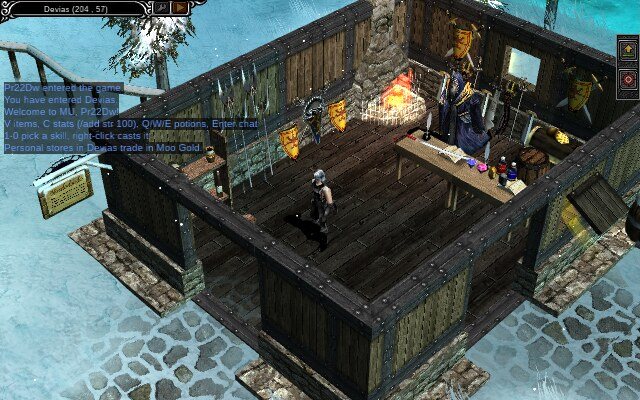
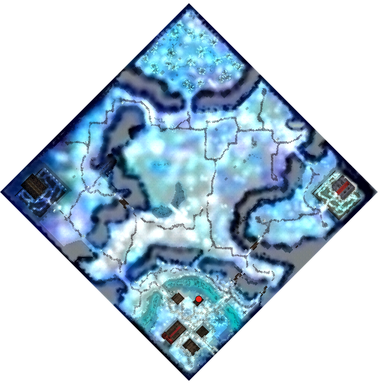
Click the Clerk and the Grand Market opens next to your bag. It has three tabs: Buy, Sell and Mine.
The hall has top weapons for every class on its walls and a treasure shelf with jewellery, jewels and Kundun's box.
Selling an item
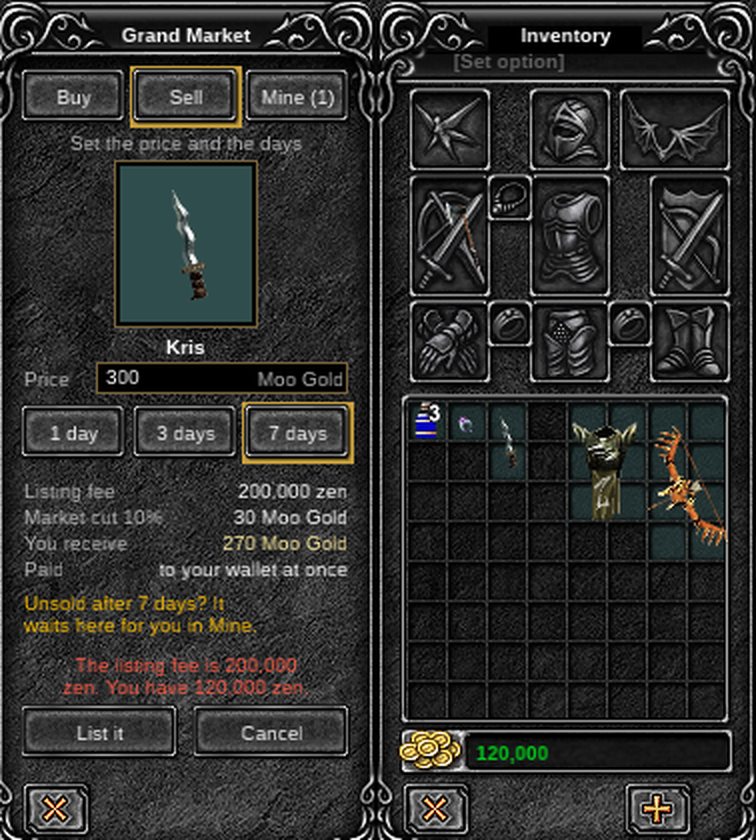
- Open Sell and drag the item from your bag onto the empty slot.
- Type your price in Moo Gold.
- Pick 1, 3 or 7 days.
- Check the fee and what you will receive, then press List it and confirm.
The item leaves your bag at once. The Clerk holds it until it sells, you take it back or its days run out.
| Days on sale | Listing fee |
|---|---|
| 1 day | 50,000 zen |
| 3 days | 100,000 zen |
| 7 days | 200,000 zen |
The listing fee is zen from your bag, paid when you list and never given back. Short of zen, the Clerk tells you and nothing is taken. When the item sells, the market keeps 10% of the price and at least 10 Moo Gold. The fee and the cut leave the game. Nobody gets them.
| Rule | |
|---|---|
| Price | 10 to 50,000 Moo Gold |
| Market slots | 10 an account. Items waiting for you at the Clerk count too |
| New listings | 20 a day |
| Lots | Up to 50 identical items listed together take one slot, one fee and one of the 20 a day |
| A new price | Withdraw the item and list it again. That costs a new fee |
Lots
- Put an item on the Sell slot and set the quantity: identical items in your bag go up together as one lot.
- Identical means the same item and level, no options, and full durability for pets and gear.
- The price is for each item. Buyers can buy part of a lot.
- An item that differs (a damaged pet, a pet with options) is listed on its own.
You can't list an item you are wearing (take it off first), one in your personal store, or one that can't be traded, like Moo Gold shop items, quest items and items with a Jewel of Harmony option.
Buying
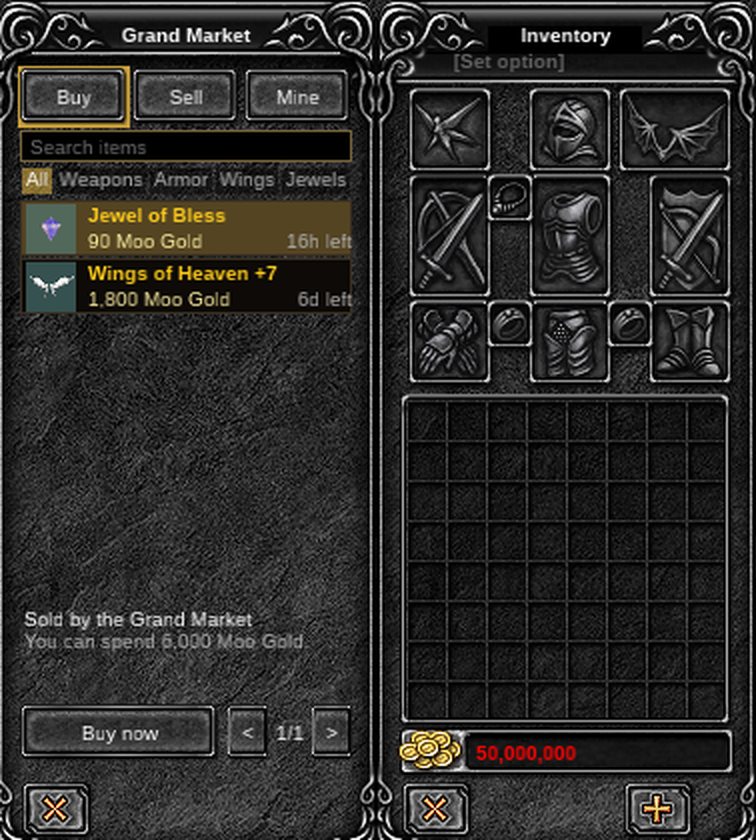
- Open Buy. The newest listings come first, 7 to a page.
- Type a name in the search box, or pick All, Weapons, Armor, Wings or Jewels. Hover over an item for its full card.
- Click a listing. Its item view opens beside the window with the picture, the full card, the price and the time left. Press Buy now and confirm. Listings never show who sells: the card reads "Sold by the Grand Market".
The Moo Gold leaves your wallet and the item lands in your bag at once. You get the very item the card shows, with the same level and options.
The item view's View on the web button opens the item's page on the wiki, with its price history and similar sales.
| Limit | |
|---|---|
| New accounts | Up to 2,000 Moo Gold a day here in their first 7 days |
| Top-ups | Moo Gold topped up in the last 7 days can't buy from players |
You can't buy your own listings. If the price changed or someone else bought the item a moment before you, the window says so and nothing is taken.
Mine
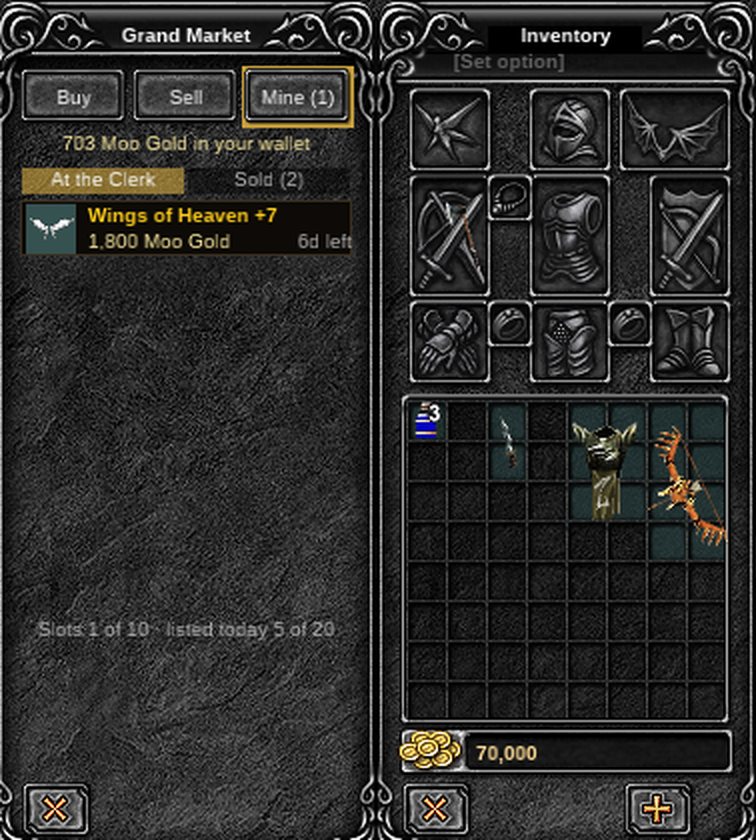
Mine shows everything of yours at the Clerk:
- your listings still on sale, with the time left and Withdraw;
- items that didn't sell or that you withdrew, ready to collect;
- the Moo Gold in your wallet;
- a lot as one row, with how many are left;
- how many of your 10 slots and 20 daily listings you have used.
When it sells or runs out
| What happens | What you do |
|---|---|
| Your item sells | The Moo Gold is paid into your wallet, and a blue line tells you if you're online. The Market Clerk also sends you a letter with the item, the price and what you were paid. Nothing to collect |
| Its days run out | The item waits in Mine and is never deleted. Collect it, or list it again with a new fee |
| You withdraw it | It goes back to Mine at once. The fee is kept |
| A sale far above the item's usual price | Staff check it before the Moo Gold is paid |
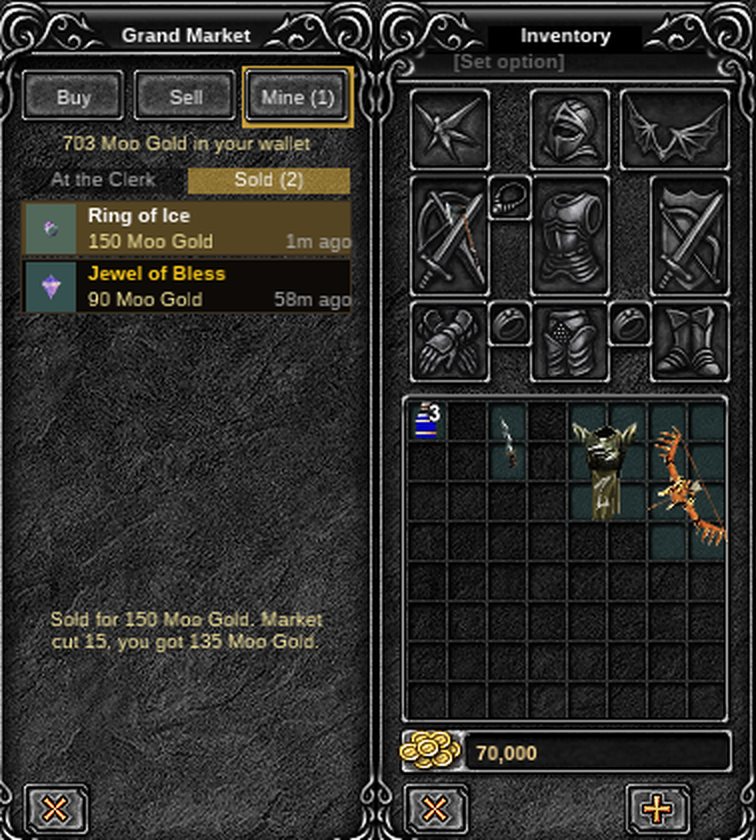
Mine has a Sold list: your sales of the last 30 days (up to 50), each with its price, how long ago, and once you pick it, the market's cut and what you got. It never shows who bought.
When the market moved to Moo Gold, every zen listing still on sale came back to its seller in Mine with its listing fee as zen to collect.
An item waiting in Mine still takes one of your 10 slots, and a lot takes one until all of it is sold or collected. Collect takes as many as your bag holds.
On the website
- Search the market shows everything for sale at the Clerk, marked Grand Market. The game's Web market button opens it.
- You can see what is listed and for how much without logging in. Buy it from the Clerk in the game.
- Sold at the Grand Market lists what really sold in the last 30 days, with the price and the day.
- It never shows who sold or bought. Check it before you set a price.