 Moo Classic Wiki
The screen and the bar
Quick facts
| Part | Where | What it shows |
|---|---|---|
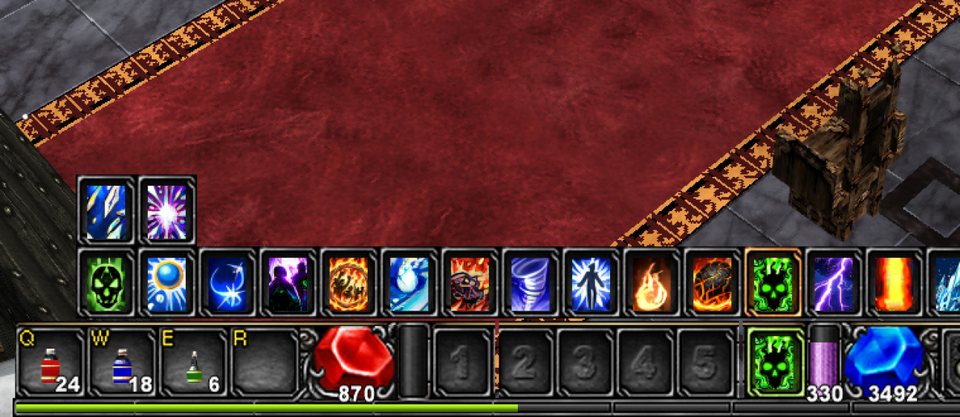
| Health, mana and AG | Bottom bar | The red, blue and green gauges, with the experience strip under them. |
| Buff icons | Along the top edge | Every buff on you, with the time left. |
| Target bar | Top centre | The monster you hit, and its health. |
| Party list | Top right | A small card for each party member. |
| System box and chat | Bottom left | Kills, pickups and chat. See Chat and messages. |
| Sidebar strip | Top right of a computer's screen | The icons that open the Hunting Tracker and Target Info. Phones have none. |
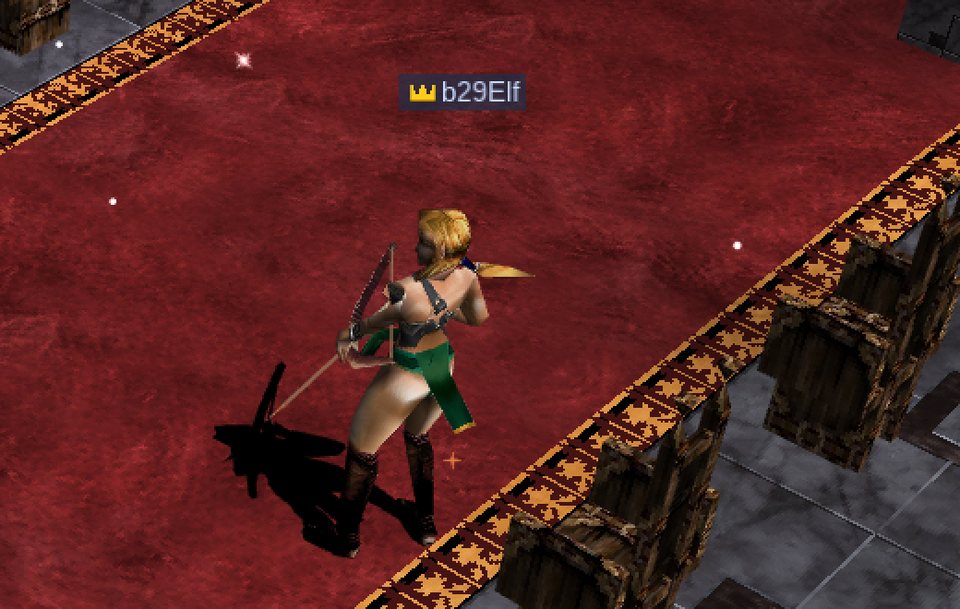
| Name plate | Over a character | The name, and a gold crown for a Golden Member. |
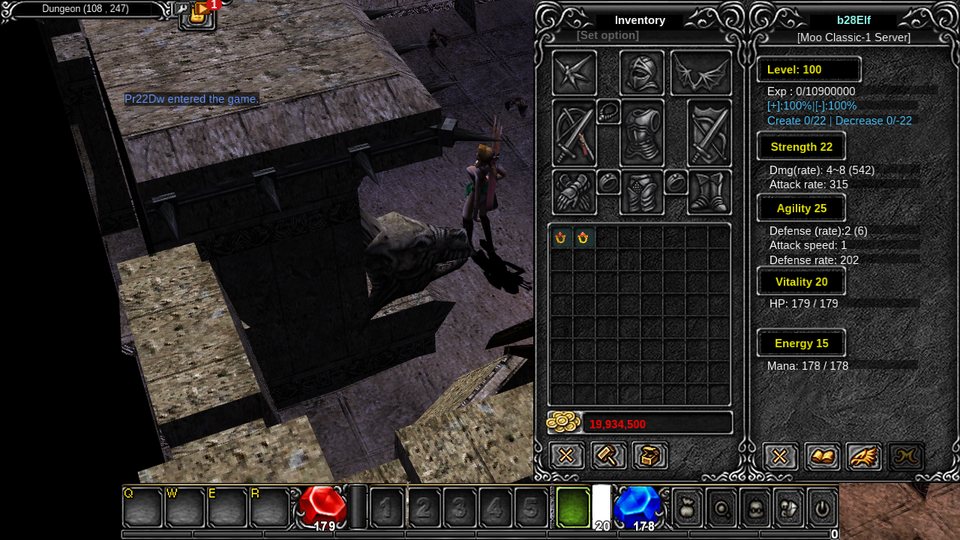
Buff icons
The buff icons sit along the top edge, a quarter bigger than the original and with their time left. Opening the bag, the character window or a shop leaves them in place. Only two side windows open together shift them left. On a phone they stand at the top.
Each icon has a thin gold bar along its bottom that shrinks as the buff runs out. In its last fifth of time (at least 5 seconds, at most a minute) the bar turns red, and a buff's icon pulses slowly. A buff with no known length has no bar.
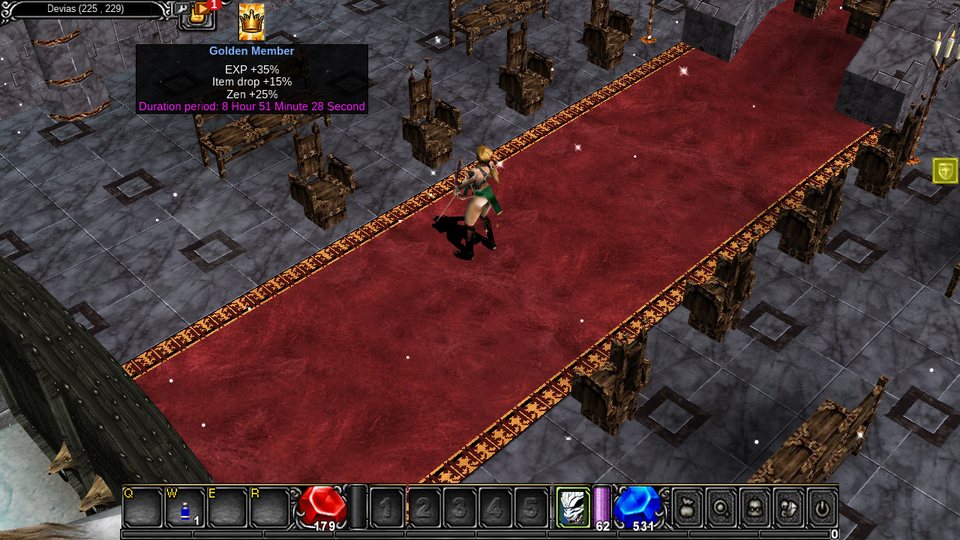
Reading a buff's tip
Hover over a buff for its tip. The tip shows the amounts. The character window adds those amounts too.
| Buff | The tip reads |
|---|---|
| Ale | "Attack speed +20" with its time. Drinking Ale again refreshes the time. |
| Greater Defense | "Defense +N", whoever cast it |
| Greater Damage | "Damage +N", whoever cast it |
Health, mana and AG bars
| Gauge | Where | What it is |
|---|---|---|
| Red orb | Left of the bar | Your health |
| Blue orb | Right of the bar | Your mana |
| Thin green tube | Just left of the mana orb | AG, the ability gauge that some skills spend instead of mana |
| Thin strip | Very bottom | Your experience (EXP) toward the next level. How EXP is earned and what each level needs: Experience (EXP) |
Hover over any of them to read the exact numbers, for example "Life: 340/340".
Their sizes come from your stats. Vitality raises health, Energy raises mana, and Strength, Agility, Vitality and Energy all raise AG. How big each bar gets and how it refills: Health, mana and AG. Your experience: Experience.
Potions fill them: healing potions refill the red orb, mana potions the blue one. The Q, W, E and R slots on the bar hold your potions; see the potions section of Getting started.
The target bar
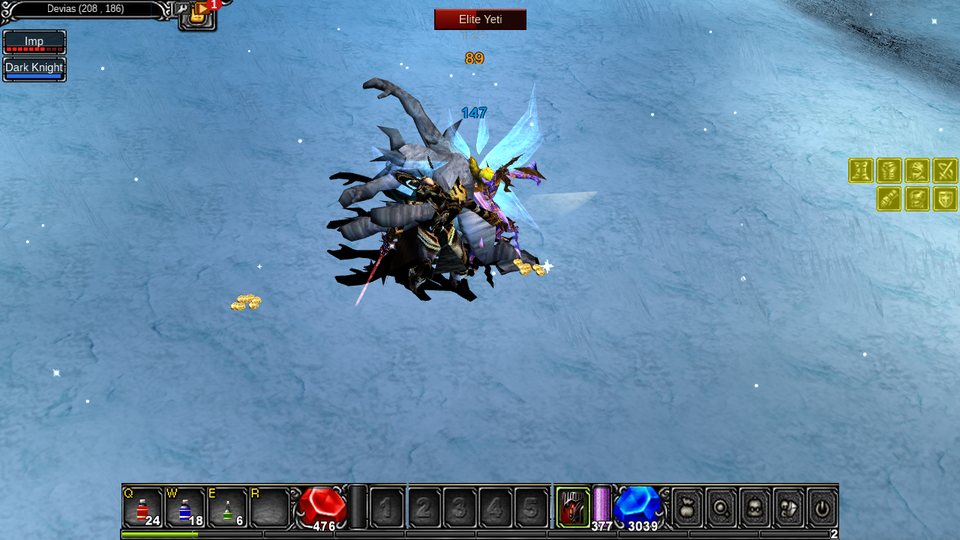
The bar at the top shows the monster you attack. It grows wider for a long name and never gets narrower than the original.
The level comes after the name, as in Chief Skeleton Archer · Lv 87. Everyone who sees a monster learns its health after each hit, so a party member's bar follows a fight they did not start.
The party list
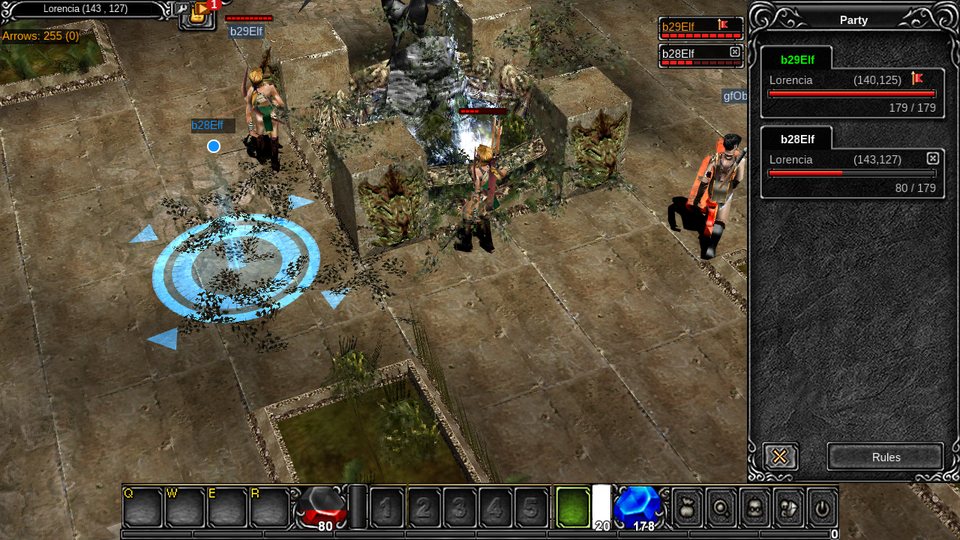
A compact list at the top right shows one card for each party member.
| On each card | What it is |
|---|---|
| Name | The member |
| Health bar | Their health |
| Flag | Marks the leader |
| Button | To leave |
Right-click a card to cast Heal, Greater Defense, Greater Damage or Teleport Ally on that member. On a phone the list sits under the Esc and More keys. See Party, PK and commands.
Pickups
Every pile of zen prints N Zen Obtained beside the experience lines. Stacks of arrows and bolts show their count in the bag, the vault and shop grids.
1200 Zen Obtained under the Obtained N Exp lines of the kill.The Golden Member crown
A Golden Member wears a small gold crown to the left of their name, on the name plate and in the chat balloon. The name keeps its normal colour. Only a dangerous player killer keeps a coloured name. See Moo Gold shop.
Server announcements
A gold line in the middle of the screen goes to everyone when a Box of Kundun (+1 to +5) gives a Rare, excellent or ancient item, or when a golden monster drops a Box of Kundun. No other box is announced.
| Rule | Value |
|---|---|
| Pace | One line every 10 seconds |
| Queue | At most 3 wait |
Skill icons
The skill cards and round skill icons were redrawn in a flat painted style. The phone controls use the same style. See Skills.
Compared with the original
| Change | What now happens |
|---|---|
| Steady buff icons | Bigger, at the top edge, with a gold time bar that turns red near the end, and they stay put when a window opens. |
| Ale as a buff | Ale shows with its effect and time. |
| Wider target bar | Long monster names fit. |
| Zen line | Every pile prints its amount. |
| Crown, not a gold name | A small crown beside the name. |
| Party list | Small cards at the top right with a right-click for buffs. |