 Moo Classic Wiki
Live map
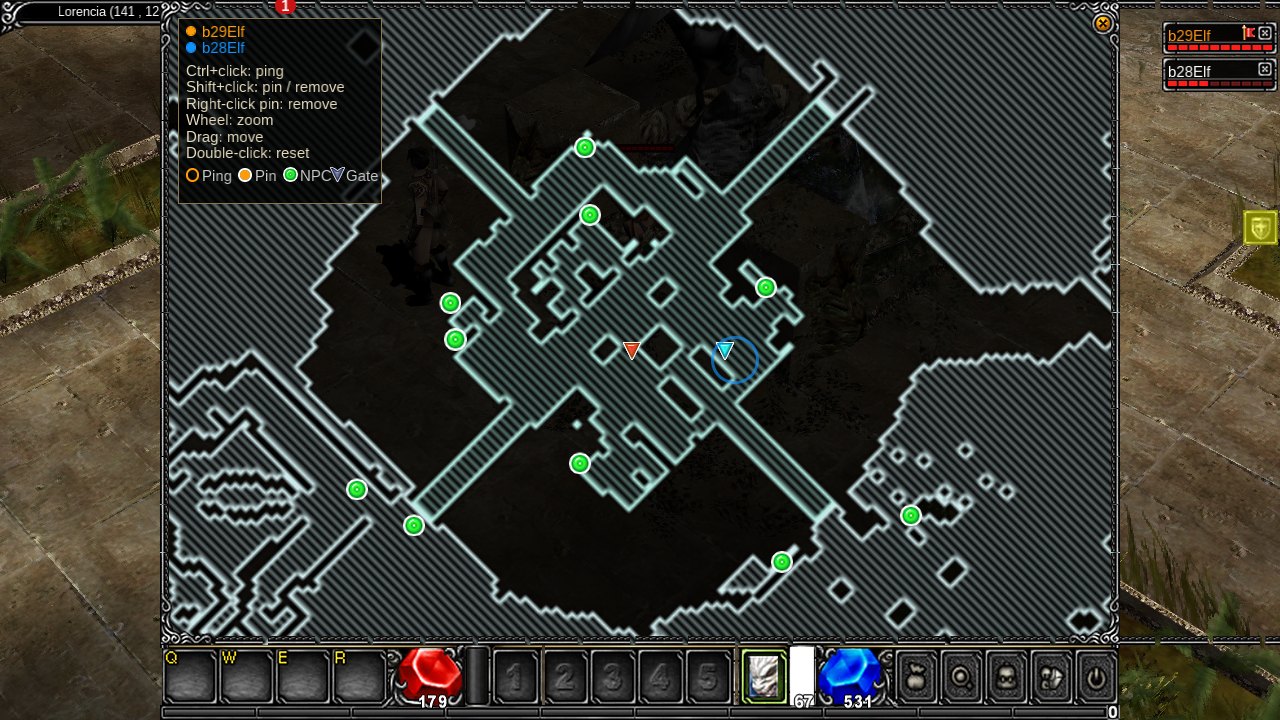
Opening it
| Rule | What happens |
|---|---|
| Blocked | It does not open while a chat box or a yes/no prompt has focus, or while the system menu is up |
| Hotkeys | While the map is open, other hotkeys do nothing |
| Clicks | Clicks on the map do not walk the hero |
| Size | The map covers the screen above the bar |
| Scope | It shows the map you are on. Pings and pins appear only on the map where they were placed. |
What it shows
| Mark | Look |
|---|---|
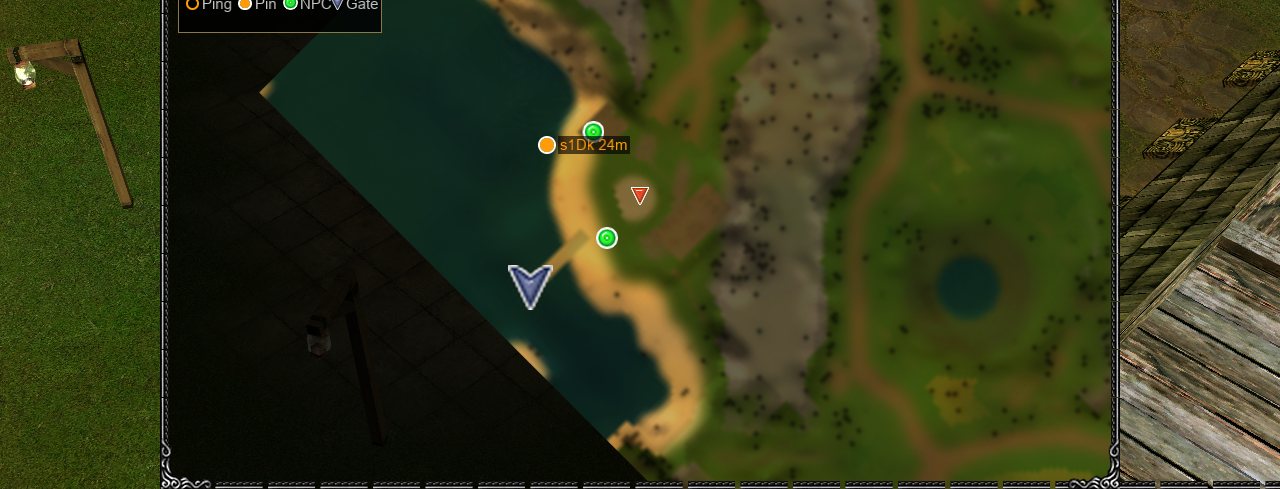
| Your hero | A marker in your party colour. Gold when you are alone. |
| Party members | Markers in their party colours. |
| NPCs | Green dots. On a computer, hover one to see its name. |
| Gates | Blue arrows. On a computer, hover one to see "To" and the name of the map it leads to. |
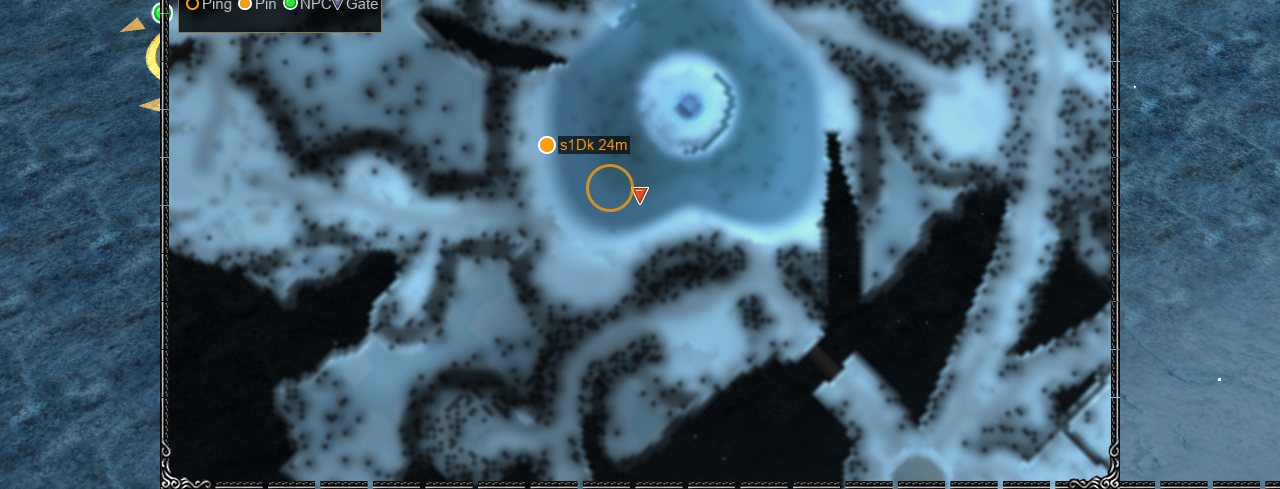
| Pings | A ring with a pulse, in the colour of whoever sent it. |
| Pins | A pin with its owner's name and distance, such as "name 23m". |
NPC and gate positions match the game world. Gate names use the map's in-game name, for example "To Noria".
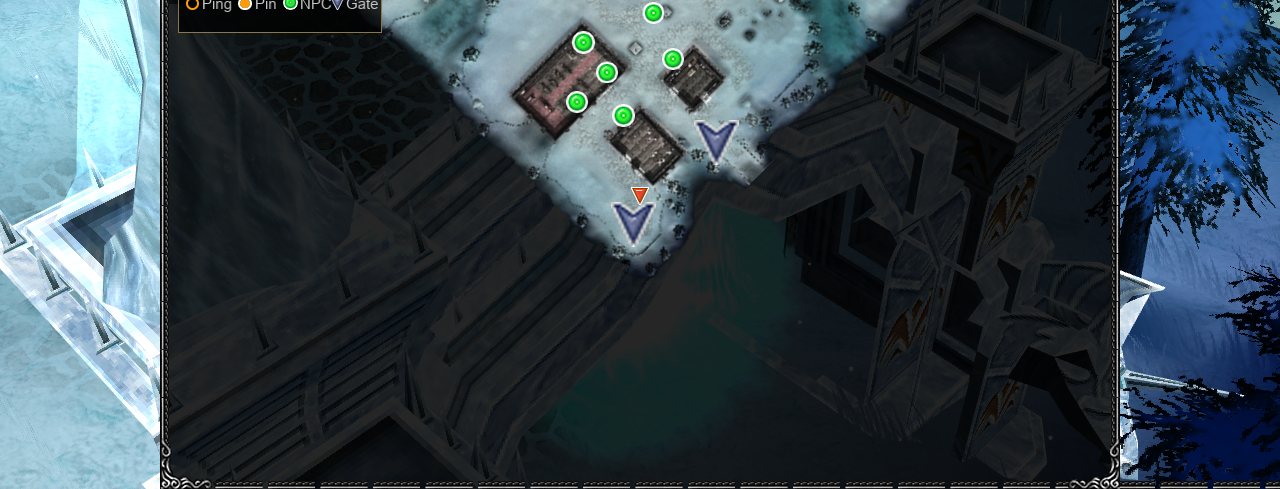
Controls
| Action | Computer | Phone |
|---|---|---|
| Zoom in and out | Scroll wheel, about the pointer | Pinch |
| Move the map | Drag | Drag with one finger |
| Go back to the opening view | Double-click | Pinch all the way out (shows the whole map) |
| Ping a spot on the live map | Ctrl+click | Tap |
| Pin a spot | Shift+click | Hold a finger still for half a second |
| Remove your pin | Shift+click, or right-click on your pin | Hold on your pin |
- You can zoom in to 4x. You can zoom out until the whole map fits above the bar.
- The legend lists the controls for the device you use. On a phone, it shows the touch controls once you touch the screen.
- Names of NPCs and gates show on hover, so they appear on a computer only. A tap on a phone sends a ping, so it does not show a name.
- The map goes back to the opening view each time it closes.
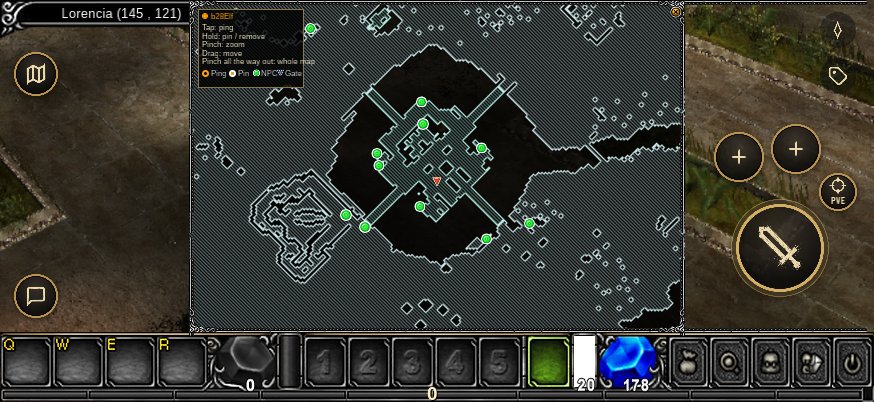
Meet your party
Ctrl + click a spot on the map and everyone in your party sees a ring there for a few seconds. In the world the same ping is a glowing disc in your colour with your name over it, so a friend who is not looking at the map still finds you.
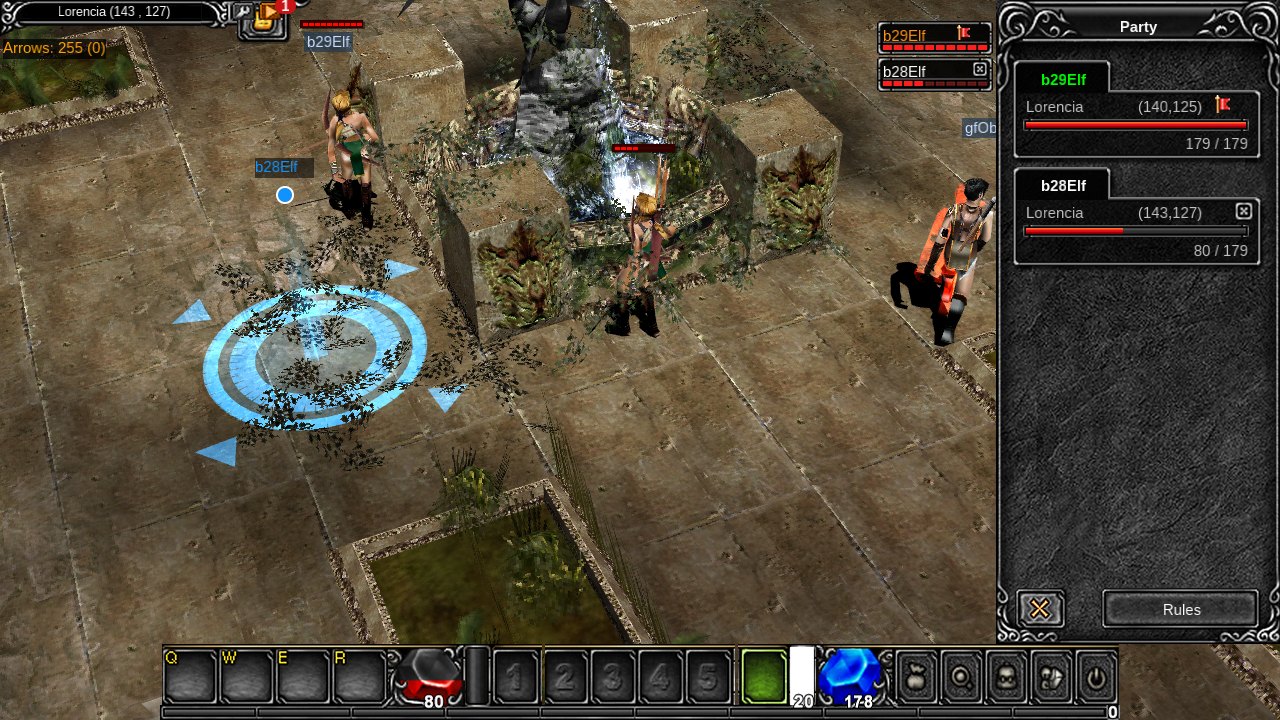
Pings
A ping marks a spot for your party.
| Fact | Value |
|---|---|
| Lasts | 4 seconds |
| You can send | One every 2 seconds |
| Sound | A short tone at the volume set in Options |
| Not in a party | A ping shows to you only and nothing is sent |
| Where | How to ping |
|---|---|
| Open live map | Hold Ctrl and click. A ring in your colour that pulses. |
| In the world | A glowing disc with rings and a beam of light that rises from the spot. With the map closed, hold Alt and click empty ground. The hero does not walk. |
| Phone | Tap the Ping button under the menu to ping where the hero stands. Drag the button to a spot to ping there, or onto the open live map. |
Pins
A pin marks a spot for your party, on the live map and in the world. Each player has one pin, and the party sees it.
| Fact | Value |
|---|---|
| Lasts | 2 minutes, and it fades in its last 5 seconds |
| Goes sooner when | You move it, remove it, leave the party, log out or change server |
| Distance | Updates on the map and in the legend |
| Shown | On the live map, and in the world on the same map: a marker on the ground with the name and distance. When the spot is off screen, an arrow at the screen's edge points the way |
| Not in a party | Your pin shows to you only |
Party Colours
The legend lists the party at the top left, each name in its colour, with the distance to that player's pin beside it. The party list stays up to date while the map is open.
| Place in the party | Colour |
|---|---|
| Leader | Gold |
| Second | Cyan |
| Third | Green |
| Fourth | Pink |
| Fifth | Orange |
When you are alone, you are gold. A mark takes the colour of the player who placed it.
See Also
Changes in Moo Classic
Each change to the live map, its pings and pins is listed below with the reason.
| Topic | Original | Moo Classic | Why |
|---|---|---|---|
| Live map | Not in the original game. The original had only a position box. | Tab opens a full-screen live map of the map you stand on with your hero, your party, NPCs and gates. | You can see where you are and where everything is on the whole map. |
| NPCs and gates | Not in the original game. | The dots and arrows come from the live server, so they sit where the game really has them. Gate names use the in-game map name. | The marks are where things really are, and gates carry the names you see in the game. |
| Zoom and pan | Not in the original game. | Scroll to zoom in and out, drag to pan, and double-click to go back to the opening view. On a phone, pinch and drag. The view resets when the map closes. | You can see the whole map at once or look closely at one spot. |
| Legend | Not in the original game. | A panel at the top left lists the party with their pin distances, the controls for your device, and the marks. | Marks and party members can be told apart at a glance. |
| Pings | Not in the original game. Players typed coordinates in chat. | Ctrl+click on the live map, or Alt+click on empty ground, marks a glowing spot for the party. Your hero does not walk. Each ping plays a short tone. Alone, only you see it. | You can show your party a spot without typing coordinates. |
| Pings on phones | Not in the original game. | A Ping button sits under the menu. A tap pings where the hero stands. Drag it to a spot to ping there, or onto the live map. | Phone players can ping without a keyboard. |
| Pins | Not in the original game. Nothing like it. | Shift+click on the live map sets your one pin. The party sees it with your name and distance, on the map and in the world, with an arrow when it is off screen. It lasts 2 minutes, and goes sooner when you move or remove it, leave the party or log out. | The party can see where you want to meet, and old pins do not pile up. |
| Party colours | Not in the original game. | Leader gold, then cyan, green, pink and orange. Alone, you are gold. A mark takes the colour of the player who placed it. | You can tell whose mark is whose. |
| Phone map controls | Not in the original game. | Pinch to zoom, drag with one finger to move, and hold a finger still to set your pin. | The map is easy to use with fingers. |
| Opening and closing | Not in the original game. | Tab or Esc closes the map. Other hotkeys and clicks do nothing while it is open, and clicks do not walk the hero. | The map stays out of the way of play, and a stray click cannot walk you off. |