Global Chat
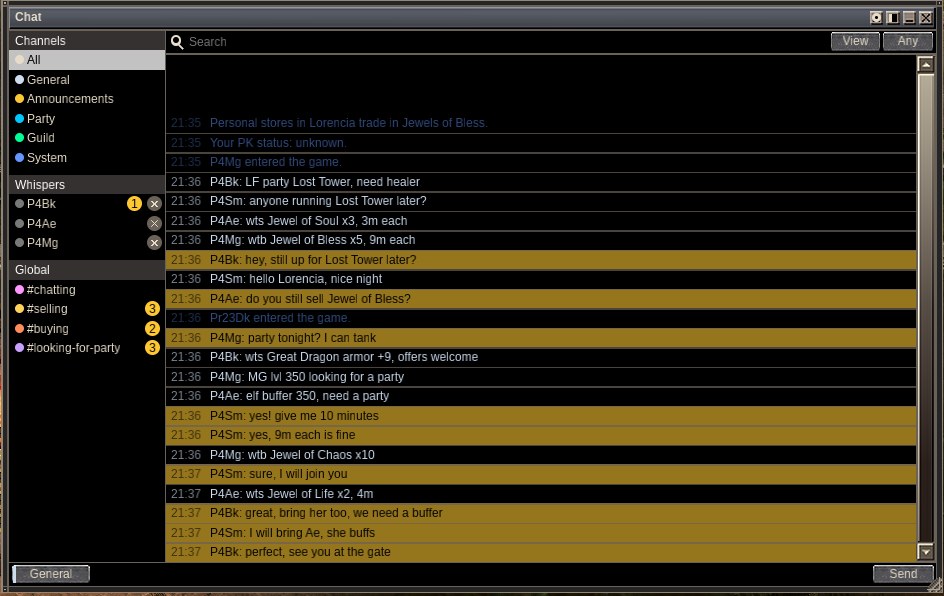
On most MU servers, whispers, buying, selling and party calls all scroll past in one stream, and the deal you wanted is gone before you read it. Global Chat is built for a living marketplace. Every conversation is sorted into its own channel, #selling, #buying, #looking-for-party and #chatting, and whispers, party and guild talk sit in the same window. You see what is happening and you never miss a deal.
It works across the whole server: type /post followed by your message and every player online can read it, whichever map they stand on. It opens at level 10, and you can post once every 10 seconds.
Quick facts
| What | How |
|---|---|
| Post to everyone | /post <text> in the chat line, or the target button of the chat window |
| Level | 10. Under that you see "Global chat opens at level 10." |
| Wait between posts | 10 seconds, the same for every channel and every way of sending |
| Open the chat window | Y, /chat, or Global Chat in the Command Window |
| Channels | #chatting, #selling, #buying, #looking-for-party |
| What it remembers | The last 1,000 global lines of the last 24 hours, for each character |
The four channels
Put a tag after /post and the message lands in that channel, in its own colour. A post without a tag goes to #chatting.
| Tag | Short forms | Use it for |
|---|---|---|
#chatting |
#chat |
Talking to everyone |
#selling |
#sell |
Items you want to sell |
#buying |
#buy |
Items you want to buy |
#looking-for-party |
#lfp |
Finding a party |
Tags work in any letter case. A #word that is not one of these stays in your text, and the post goes to #chatting. Examples:
/post #selling Jewel of Soul 3m, pm me/post #buying vine gloves/post #lfp Lost Tower, need a healer
On a computer
- Press Y to open the chat window. It opens on the left of the screen. Drag its title bar to move it and the corner grip to resize it.
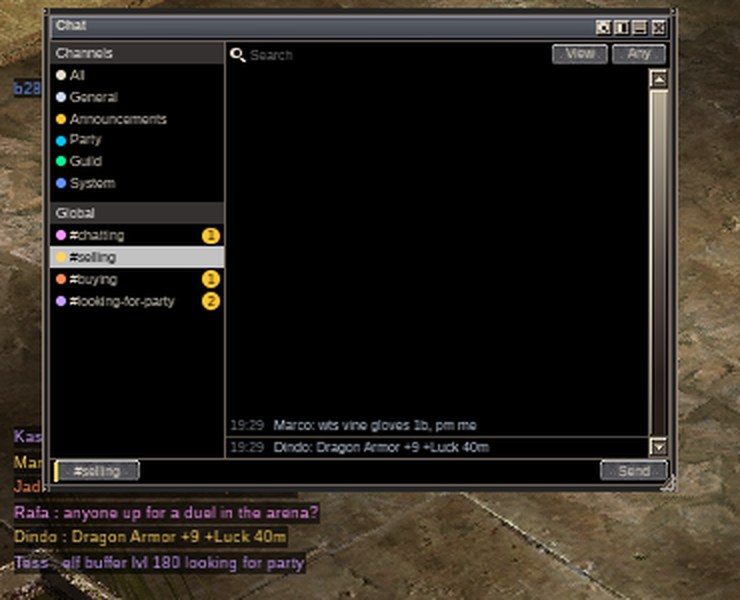
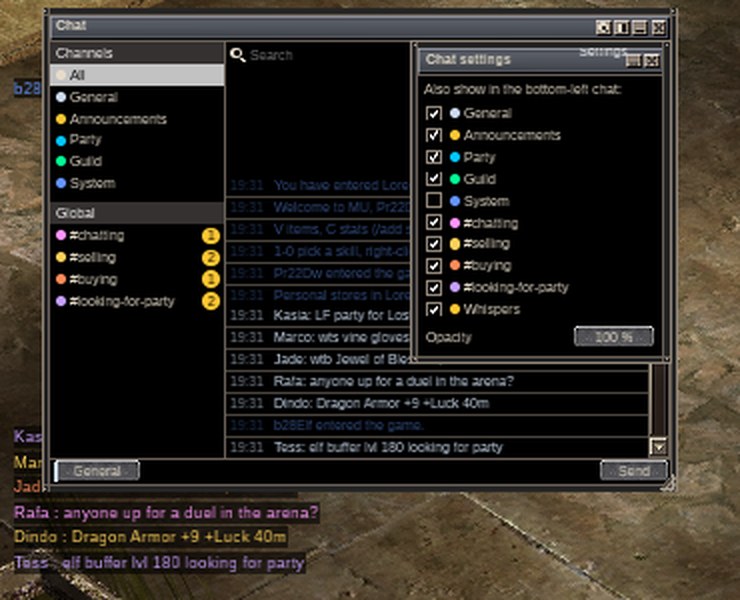
- Click a channel under Global to read it. A yellow number shows how many lines you have not read in each one.
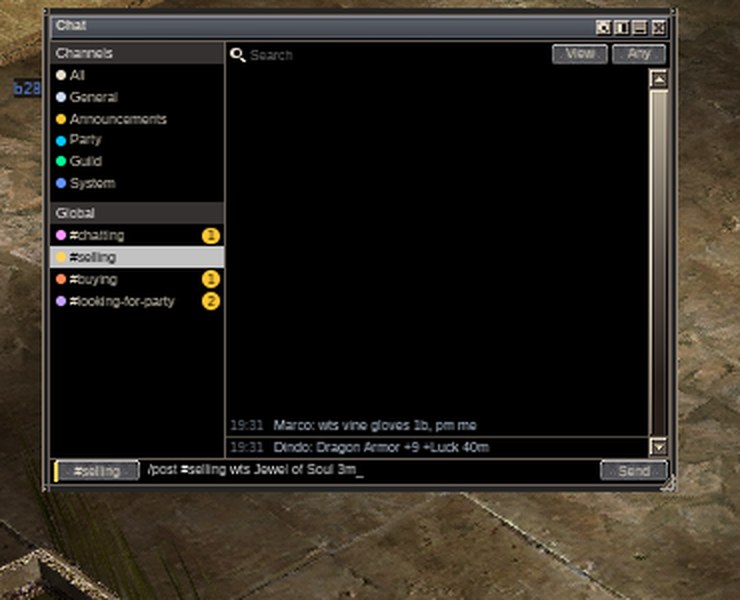
- To post, click the target button at the bottom left of the window (it names where Enter sends, and each click picks the next one: General, Party, Guild, then the four Global channels). Type your text and press Enter or click Send.
- Or use the usual chat line: press Enter, type
/post #selling Jewel of Soul 3m, and press Enter.
Whispers
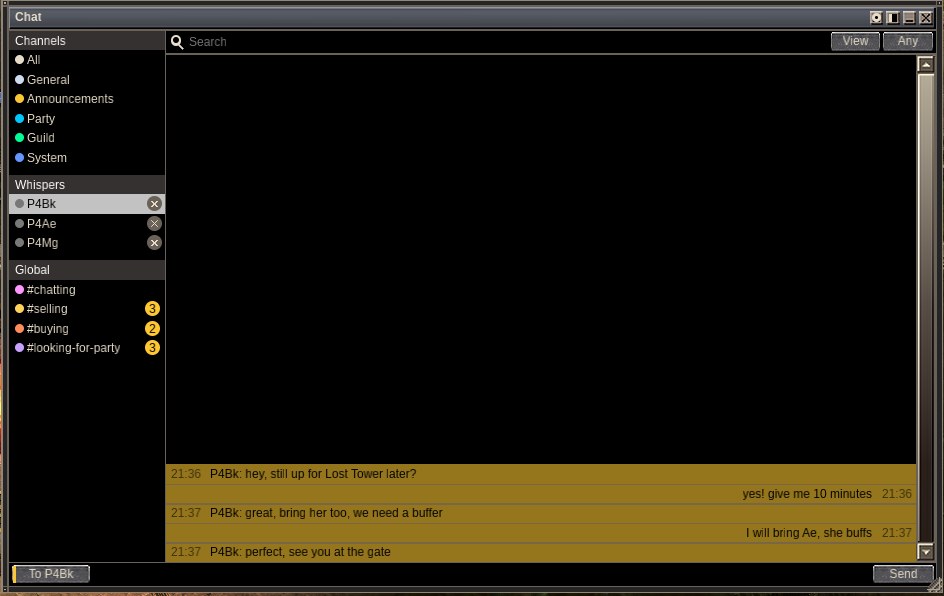
Every player you whisper gets a tab of their own under Whispers, with a yellow number for what you have not read and a cross to close it. Click a tab to read the whole conversation with that player, yours on the right and theirs on the left. Right-click a name in any line to start a whisper.
If you post too early, the game says "You can post again in N s." and keeps your text, so you only press Enter again. The wait is checked by the server too, so no client can post faster.
Macros
A macro can hold a post. Save one by typing /1 /post #selling vine gloves in the chat line, then press Alt+1 to post it. A macro says one line every 4 seconds, and the 10 second post wait still applies: a macro pressed too early is dropped with the same "You can post again" line.
Search and the log
- The search strip at the top of the window looks through the lines. View or All ch. picks this channel or every channel, and the span is 10 minutes, 1 hour or any time. It keeps 1,000 global lines for 24 hours, so you can see who sold vine gloves lately.
- Posts also appear in the chat log at the bottom left of the screen, in their channel's colour. The gear in the window's title bar opens Chat settings, where you tick which channels reach that log.
Names
Click a name in a line to open a small menu: Whisper, Add Friend, Mute and Party Invite. Mute hides that player's lines from every channel. A right-click on a name opens a whisper thread with that player. /filter <word> shows only the log lines that hold that word.
On a phone
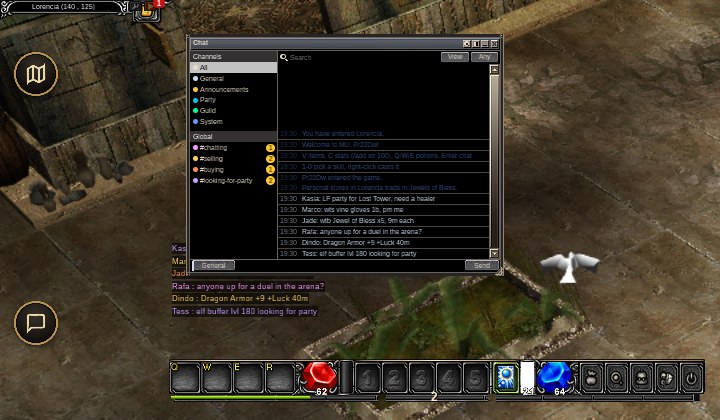
- Tap the Chat key at the bottom left. The chat line opens and the keyboard comes up. Type
/post #selling Jewel of Soul 3mand press Done to send. - To read the channels, tap Menu at the top right, then the Command Window row, then Global Chat. The same chat window opens, and you tap a channel to read it.
- The window and its text stay inside the safe area of the screen, away from the notch.
- Tap a name to open its menu, as on a computer.
More on the phone's keys is in Phone controls.
Other chat
Global Chat sits beside the other chat channels, which the same window shows. Party chat starts with ~, guild chat with @ and alliance chat with @@. A line with no prefix reaches the players near you. Friends and letters are in Chat and messages; the party, guild and PK rules are in Party, PK and commands.
Changes
| Change | What now happens |
|---|---|
| Four Global channels | /post tags give #selling, #buying and #looking-for-party their own tab and colour. |
| One 10 second wait | The server holds it for every client. |
| Readable colours | A post is written in its channel's colour on the normal dark backing. |
| One chat window | Channels, whispers, friends, search and unread counts in one window. |